Skip to content

Cookie settings

Choose which kinds of cookies you allow. You can change your choice at any time via Cookie settings at the bottom of every page. Privacy statement

Necessary

Always on

Needed to log in, keep your cart and remember your choices. These are always on.

Which cookies?
  • weboke_sessie, weboke_klant, weboke_remember: your session and staying logged in
  • weboke_basket: your cart
  • wkBtwIncl: showing prices with or without VAT
  • wok_cookies: your cookie choice, 12 months

Measures which ad leads to a visit or order, so we do not pay for ads that do nothing.

Which cookies?
  • Google Ads via Google Tag Manager (_gcl_au, _gcl_aw), up to 90 days
  • OpenAI Ads, ads in ChatGPT
  • wok_aff: which partner referred you to us (affiliate programme), 60 days

4.6

Country and language

Each country has its own site, with prices and VAT for that country.

View

Activating Node.js in DirectAdmin

In DirectAdmin you can activate Node.js for several versions. If one is missing, let us know and we will see whether we can add it.

1. In DirectAdmin, choose Setup Node.js App.

2. On the next screen, click Create Application.

3. On this screen you can replace test2028.webawere.nl with your own domain name and testnodejs with the location where you want Node.js to be accessible. You can also leave it empty, in which case it is accessible via https://test2028.webawere.nl.

4. Click Create to create the Node.js app.
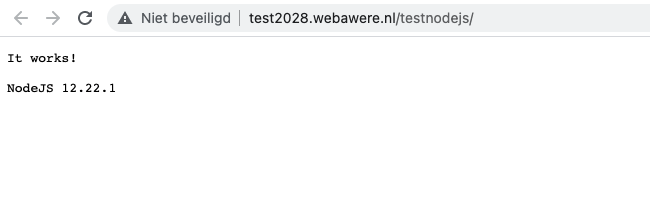
4. Then go to the URL you entered in your browser to test whether it works.

5. If you have a business package, you can also log in to the server via SSH (always port 1967) and enter the command below (run the command) to activate your virtualenv.

Was this article helpful?

← Back to General hosting

One moment…

Set up your domains

For each domain, arrange the nameservers, the link to your hosting and who becomes the owner.

Loading your domains…